
Agent catalog
Explore agents by category and description. Choose the right one and favorite those you use frequently.
See how it works Zild Chat
Give employees an interface to talk with approved agents, work with documents and revisit knowledge. An organized environment for AI with history and role-based access.
Explore agents by category and description. Choose the right one and favorite those you use frequently.
See how it worksStart a chat with the default or selected agent. Resume history to continue working in the same context.
See how it worksUpload a file in chat or select an existing document. Administrators and supervisors can also browse and review files in Documents.
See how it worksAdministrators maintain content associated with agents and define visibility groups to organize access.
See how it worksAdministrators organize Markdown instructions loaded when an agent activates a skill.
See how it worksSearch titles, filter by agent and rename conversations to find your work easily.
See how it worksExplore improvements and how to use them. Availability depends on your deployed version and environment configuration.
Updated titles improve conversation identification in the Zild Chat workspace.
Explore agents by category and start a conversation with the right context. In this actual capture, R&D groups automation, software architecture and DevOps agents configured in the workspace.
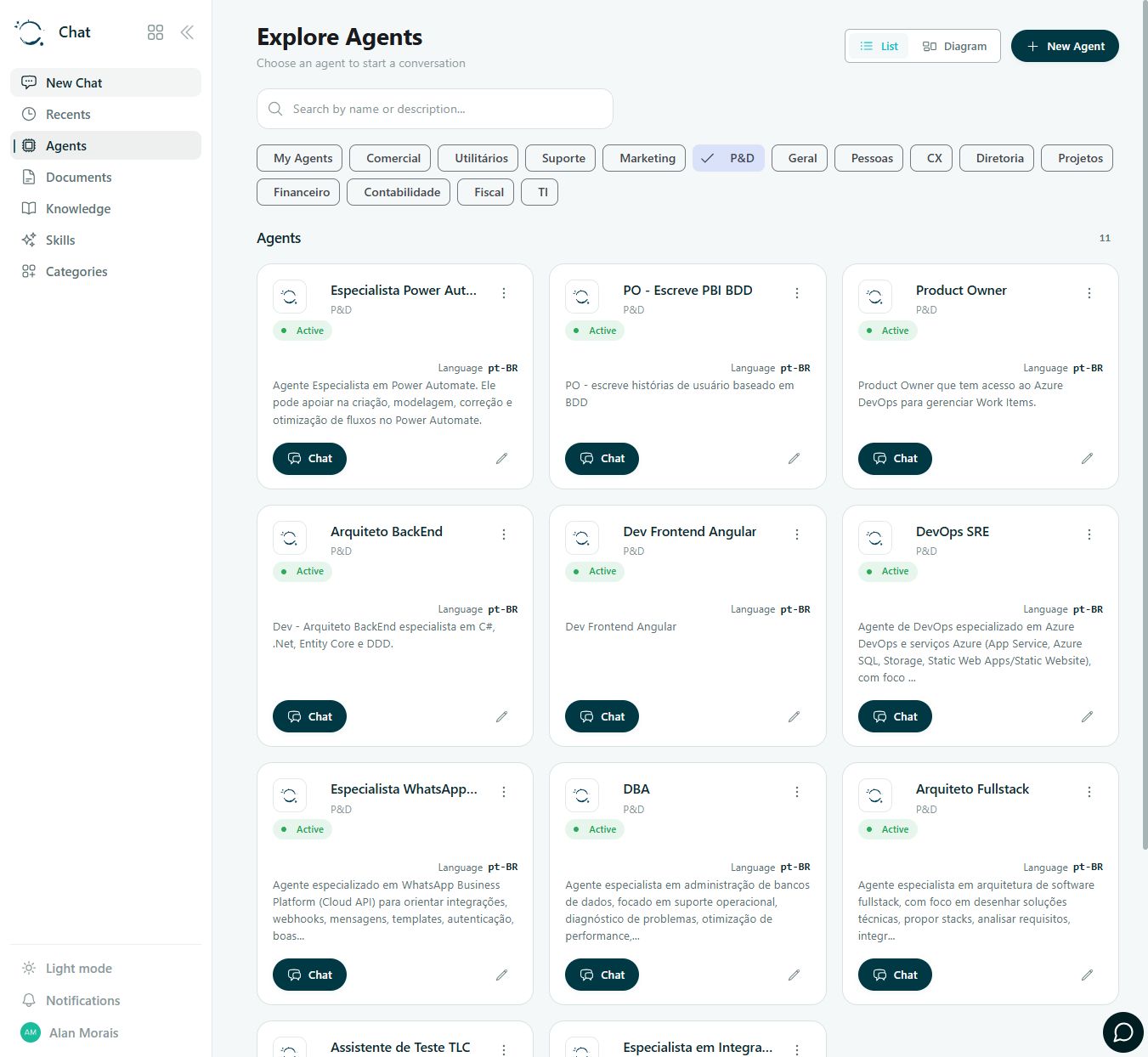
Find an agent in the catalog or open a new chat.
Send your question and a file when needed.
Continue the conversation and refine results with the agent.
Find the conversation through history or search.
Documents: administrators and supervisors. Knowledge, Skills and categories: administrators. Available options respect each user’s access.
FROM APP TO PROCESS
These guides help define data, integrations, responsibilities and acceptance criteria for your configuration.
Use conversation to investigate extracted data and flag revision or unit discrepancies. AutoCAD and SketchUp extraction depends on the project integration workflow.
Plan this process: Consult project contextStructure queries by item, unit, warehouse and source timestamp. The connected ERP or WMS remains the reference for verifying stock.
Plan this process: Ask about stock with contextTalk to Zild to map the first use case, access and configuration your team needs.