Live service
Take over conversations, send messages and attachments, transfer or close service according to your operating policy.
See how it works Zild Assist
Organize WhatsApp, email and compatible webchat conversations in a hybrid operation. AI supports triage and responses; your team takes over moments that require human attention with context preserved.
Take over conversations, send messages and attachments, transfer or close service according to your operating policy.
See how it worksOrganize queues that receive and distribute service requests to give every conversation a clear destination.
See how it worksFind conversations by search, status and period. Open history before responding or resuming service.
See how it worksMaintain the records your team uses to identify customers and review service context.
See how it worksManage conversation templates, tags and closure reasons to organize service routines.
See how it worksReview the dashboard and investigate queues and records that need attention.
See how it worksExplore improvements and how to use them. Availability depends on your deployed version and environment configuration.
Create reply options in Meta-channel templates to guide the next conversation step.
Improvements to previous-conversation loading and attachment downloads help teams resume service.
Include proactive messaging in agent workflows with the channel and template configuration appropriate to service.
Review channel configuration in a side panel within the list.
The update includes mondayZap connector identification and Assist contact-context changes.
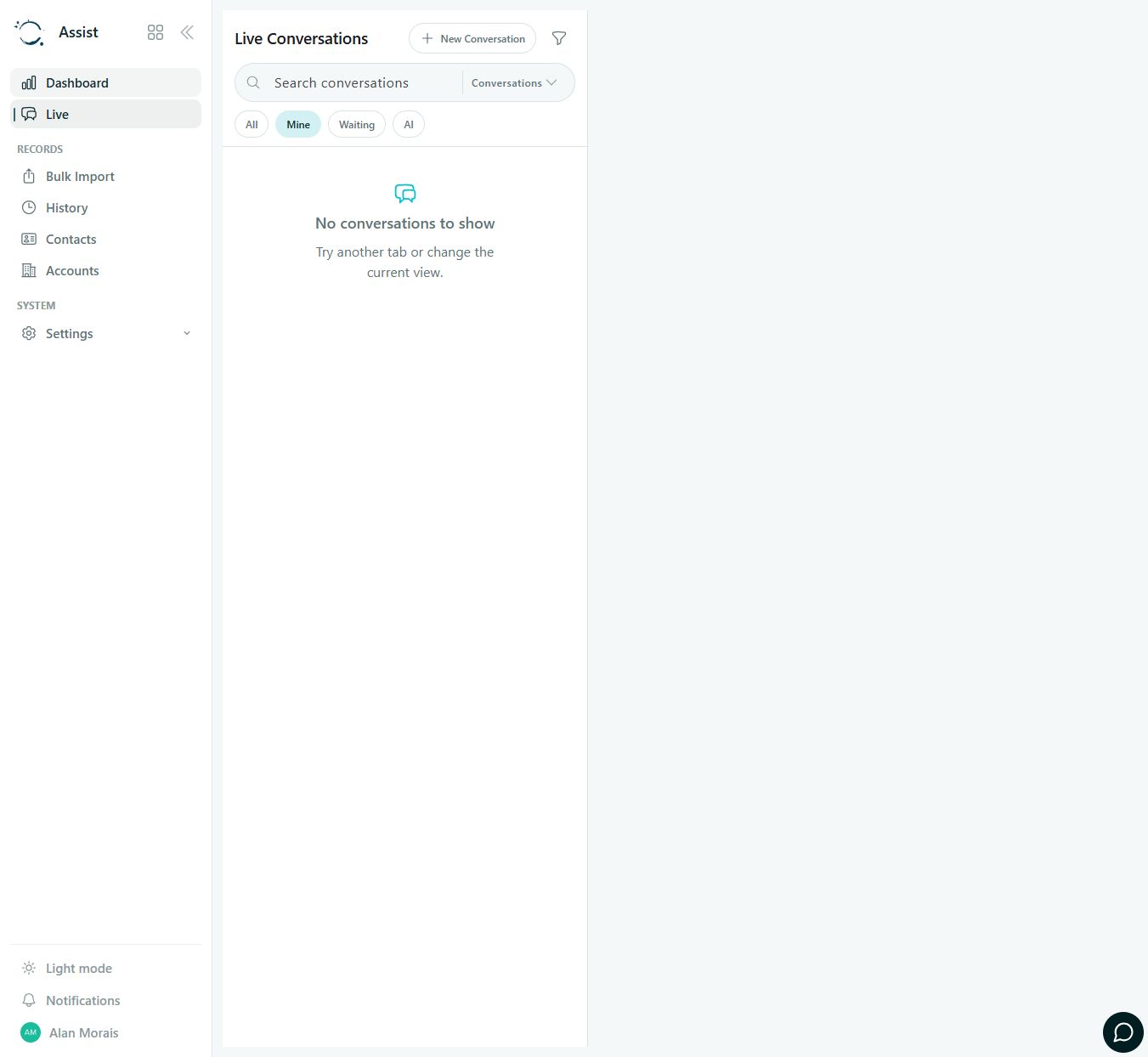
Track conversations through All, Mine, Waiting and AI views. This actual capture shows an empty personal queue, preserving the content of company interactions.
The conversation arrives through a configured channel.
Review the customer, account, history and agent context.
Respond or transfer to the responsible person.
Classify and close according to operating policy.
Channel availability depends on configured integrations. Human service follows your operational queues and permissions.
FROM APP TO PROCESS
These guides help define data, integrations, responsibilities and acceptance criteria for your configuration.
Bring conversation and attachments together so the team can review missing documents or discrepancies. Configure the agent and integration to consult the corresponding process.
Plan this process: Resolve procurement exceptions by emailPreserve conversation context when operations must take over an incident. In the integrated workflow, location and status come from ESL; Assist supports communication and human handoff.
Plan this process: Handle a delivery exceptionTalk to Zild to map the first use case, access and configuration your team needs.