Processes in one view
View execution and track progress, delays and failures to prioritize work.
See how it works Zild Flow
Coordinate tasks in a shared process view. Track stages, owners, deadlines and dependencies to understand progress, blockers and who needs to act.
View execution and track progress, delays and failures to prioritize work.
See how it worksConfigure AI agents and human responsibilities to distribute execution among participants.
See how it worksKeep stages, dependencies and owners clear while tracking tasks for people and agents.
See how it worksInspect history before retrying, correcting or escalating a blocked process.
See how it worksExplore improvements and how to use them. Availability depends on your deployed version and environment configuration.
Investigate task execution with paginated history and details about stages, actors and model attempts.
Create text, number, date and yes/no fields, choose the flows that use them and store individual values in each task.
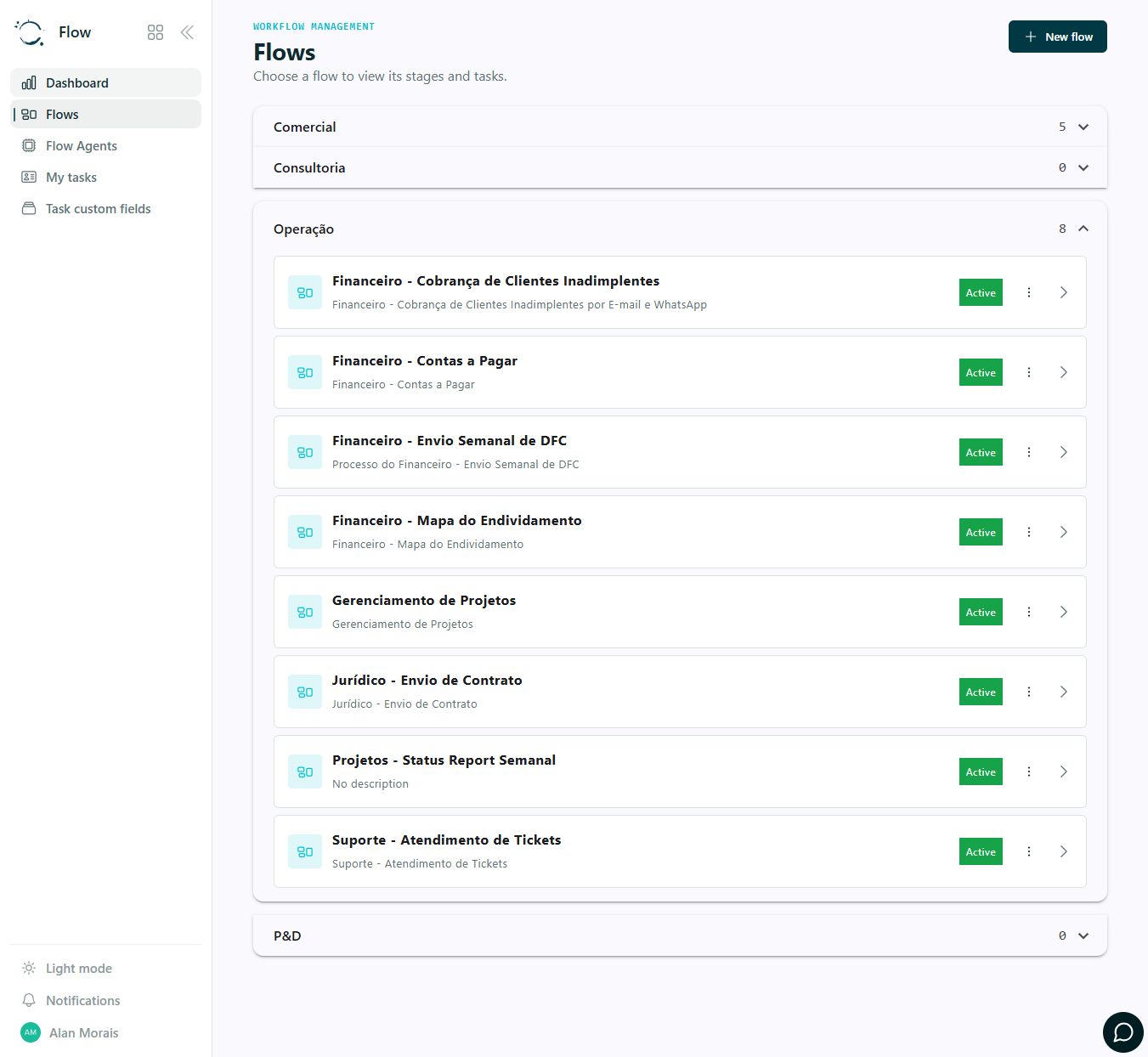
Group workflows by area and find the processes your team tracks. This actual capture shows accounts payable, project follow-up and support workflows organized under Operations.
Select the process and its participants.
Provide the data needed for execution.
View tasks, progress and exceptions.
Review results and complete, retry or escalate.
Review history and exceptions before retrying execution to avoid rework and preserve process context.
FROM APP TO PROCESS
These guides help define data, integrations, responsibilities and acceptance criteria for your configuration.
Organize verification, classification and exception tasks in the Omie-integrated workflow. Define posting confirmation before completing the process.
Plan this process: From a photo to accounts payable reviewTurn material shortages or quality discrepancies into tracked work. MRP calculations and stock updates depend on integrated systems.
Plan this process: Assign an owner to production exceptionsTalk to Zild to map the first use case, access and configuration your team needs.